
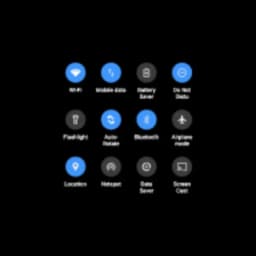
Screenshots
About One Shade
One Shade transforms your Android notification bar into a personalized interface that matches your style and workflow. Customize the look, feel, and behavior of notifications with granular control over design, colors, positioning, and accessibility — all without rooting your device.
Start by granting the necessary permissions (accessibility and notifications) to unlock the app's full potential. From there, you'll access four main customization hubs: design controls, color palettes, data usage monitoring, and gesture-based access options. The notification bar becomes your canvas.
Control exactly how your notifications appear. Adjust icon size to suit your preference — larger for visibility or smaller for a cleaner look. Switch between three- or four-column layouts. Apply custom colors to the notification bar background and text, or enable the blurred-screen effect that mimics iOS's visual style. Every element responds to your choices, creating a notification experience tailored to how you actually use your phone.
Configure additional access gestures to bring up your notification panel from the bottom, sides, or specific screen edges. Fine-tune the touch sensitivity and size of these gesture zones. Restrict them to your home screen only if you prefer, or disable them automatically when your keyboard appears. This flexibility means your notification bar works for you, not against you.
Beyond aesthetics, One Shade delivers practical benefits. Monitor data usage directly from your customized notification bar. Access frequently-used shortcuts faster with optimized positioning and sizing. Reduce visual clutter by tailoring which elements appear and where they sit. Since you interact with your notification bar multiple times every day, these tweaks accumulate into genuine comfort and efficiency gains.
The customization possibilities are extensive — far more granular than what Android offers by default. Spend a few minutes configuring your setup once, and you'll benefit every single time you check your notifications. One Shade gives you complete control over one of the most-seen elements of your device.
Requires Android 9 or higher.
Pros & Cons
Pros
- Granular customization of notification bar without requiring root access
- Monitor data usage directly from your customized notification bar
- Configurable gesture controls to access notifications from multiple screen edges
- Blurred background effect and custom colors mimic iOS aesthetic on Android
Cons
- Requires both accessibility and notification permissions for full functionality
- Extensive customization options may require trial-and-error to dial in your preference
- Only compatible with Android 9 and higher, excluding older devices
Frequently asked questions about One Shade
Is One Shade safe to download?
A malware scan report for this version of One Shade is not available on Unstore yet. Only install files from sources you trust and keep your device's security protection turned on.
What are the system requirements for One Shade?
One Shade runs on Android. The download size is 9.9 MB.
What is the latest version of One Shade?
The latest version of One Shade on Unstore is 18.5.11. It was last updated on August 10, 2026.
Who develops One Shade?
One Shade is developed by Treydev Inc.
Related Apps

Microsoft PowerToys
Windows utilities and productivity tools — enhance your workflow with system tools, window management, and file preview features.

Windows Essentials 2012
Email, messaging, photo editing, video creation, and cloud storage—Windows Essentials 2012 includes all the productivity tools you need.

Free Download Manager
Download manager that speeds up transfers, organizes files by type, and syncs with Firefox and Chrome.

HWiNFO
Hardware monitoring for Windows—track CPU temp, GPU load, fan speed, voltage in real time.

TransMac
Read Mac drives and DMG files on Windows. Access APFS/HFS+ storage and create disk images.

TestDisk & PhotoRec
Recover lost files and repair disk partitions — free open-source data recovery tool for Windows.
Latest Articles

Play a free Color Ball Sort Puzzle-style game in your browser (no download)
Oct 6, 2026

Play a free Beach Buggy Racing-style kart racer in your browser (no download)
Oct 6, 2026

Play a free Alto's Adventure-style game in your browser (no download)
Oct 6, 2026

Free online whiteboard like Jamboard: use Quickboard in your browser, no signup
Oct 6, 2026

Free online running pace calculator: splits, race predictor and daily challenge, no download
Oct 6, 2026